

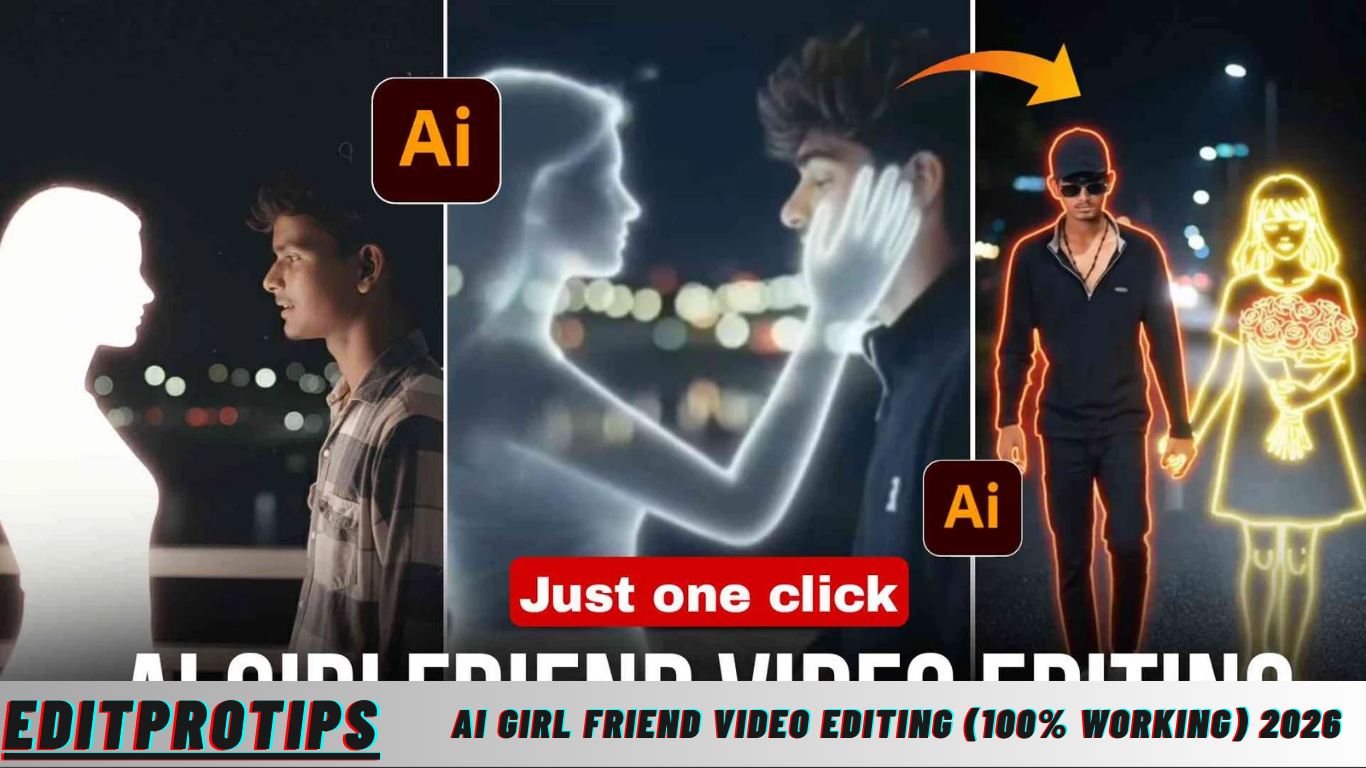
Hey guys, in today’s article, I’m going to show you exactly how you can create those super-viral AI Girlfriend videos that are currently taking Instagram by storm. The best part? This process is extremely easy, beginner-friendly, and completely free! By following the simple steps below, you’ll be able to produce high-quality, eye-catching AI Girlfriend videos that can grab attention instantly.
Step 1: Create the AI Girlfriend Photo Using Google Gemini
The first step in creating a viral AI Girlfriend video is generating a stunning AI-powered photo. For this, we will use Google Gemini, a cutting-edge AI tool that allows you to create ultra-realistic images effortlessly.
Here’s how to do it step by step:
- Open Google Gemini at gemini.google.com or use the Gemini mobile app.
- Log in with your Google account. This ensures all your creations are saved and accessible across devices.
- You have the option to upload a selfie or any personal photo if you want the AI character to resemble someone specific. If you prefer to create a completely new character, you can skip uploading a photo.
- In the prompt section, copy and paste a descriptive and creative prompt. For example:
“A beautiful Indian girl in a traditional outfit, standing romantically, soft lighting, ultra-realistic, 4K, cinematic style.”
Feel free to tweak the description based on the style, lighting, or theme you prefer. - Hit the Send button and wait a few seconds for Gemini to process the image.
- Once the AI generates your photo, download it to your device. This image will be the foundation for your AI Girlfriend video.
Google Gemini’s AI technology ensures that the images look incredibly realistic and visually appealing, perfect for Instagram reels or TikTok videos.
Read more: Instagram Trending Photo Editing Prompt (google Gemini) 2026
Step 2: Turn That Photo into a Trending Slow-Motion “AI Girlfriend” Video (Using Google Flow)
After creating your AI Girlfriend image, the next step is to transform it into a viral slow-motion video. For this, we use Google Flow, a free AI video tool that allows anyone to convert static images into smooth, cinematic motion videos.
Follow these steps carefully:
- Open your browser and search for “Flow” by Google. Usually, the official site is flow.google.com or accessible through Google Labs.
- Click on Create with Flow and log in using your Google account.
- Once logged in, click on New Project to start a fresh video project.
- At the bottom of the interface, switch the mode from “Text to Video” to “Frame to Video” — this step is crucial for converting your still photo into a slow-motion video.
- Tap the + (plus) icon and upload the AI Girlfriend photo you generated from Gemini.
- In the prompt box, type:
“add slow motion”
or for a more cinematic result, type:
“add smooth slow motion, cinematic zoom, romantic vibe” - Click Send/Generate and wait for 30–60 seconds while Google Flow creates your video.
- Once processed, download your slow-motion AI Girlfriend video directly to your phone.
This method produces videos that have a professional, cinematic feel, perfect for Instagram reels, YouTube Shorts, or TikTok. The smooth slow-motion effect, combined with romantic or cinematic lighting, ensures your video stands out in social media feeds.
What is AI Girlfriend Video Editing (100% Working)
AI video editing is revolutionizing the way people create content. Tools like Google Gemini and Google Flow make it possible to produce high-quality videos in a fraction of the time it would normally take. An AI video editing website (or app) allows users to create professional-looking content with minimal effort, making it ideal for social media creators, YouTubers, and TikTok influencers.
With these AI tools, you can edit videos with a wide range of features, including:
- Adding music tracks to enhance the mood of your video.
- Applying cinematic filters for color correction and style.
- Incorporating blur, zoom, and reverse effects for a dynamic visual experience.
- Creating smooth slow-motion and cinematic zooms for dramatic impact.
This combination of features helps even beginners create highly polished videos that can easily go viral. The simplicity and speed of AI video editing tools are why they are becoming increasingly popular among content creators worldwide.
By following these steps and leveraging AI technology, you can create visually stunning AI Girlfriend videos that are not only trendy but also highly engaging for your social media audience.
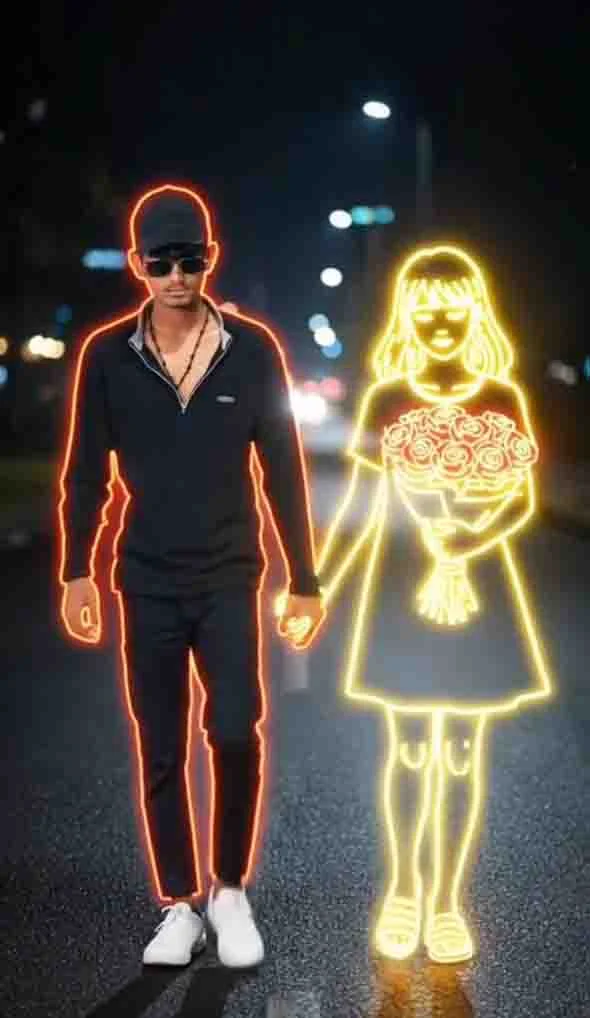
Ai Girl friend Video Editing (100% Working)
1.Prompt
A young man walks alone along a dimly lit path at night, dressed in casual dark clothing paired with crisp white sneakers. The quiet street is lined with subtle city lights in the distance, creating a soft, blurry backdrop that evokes a sense of calm and introspection. Beside him, a golden glowing neon-style illustration of a girl appears, holding a vibrant bouquet of bright red roses.
The neon girl emits a gentle, soft white light, standing in striking contrast to the surrounding darkness. Her presence feels ethereal, blending seamlessly with the night, as if she exists between reality and imagination. The young man and the neon girl are holding hands in the middle of the road, their connection creating a tender and surreal visual narrative.
The atmosphere of this scene is calm yet melancholic, with a slightly dreamlike quality. The fusion of the realistic young man’s face and the artistic neon glow of the girl produces a visually compelling contrast, perfect for AI-generated imagery or cinematic-style digital art. This concept emphasizes emotion, intimacy, and the subtle interplay between light and shadow, making it ideal for creating viral AI-generated visuals for Instagram, social media content, or digital storytelling projects.
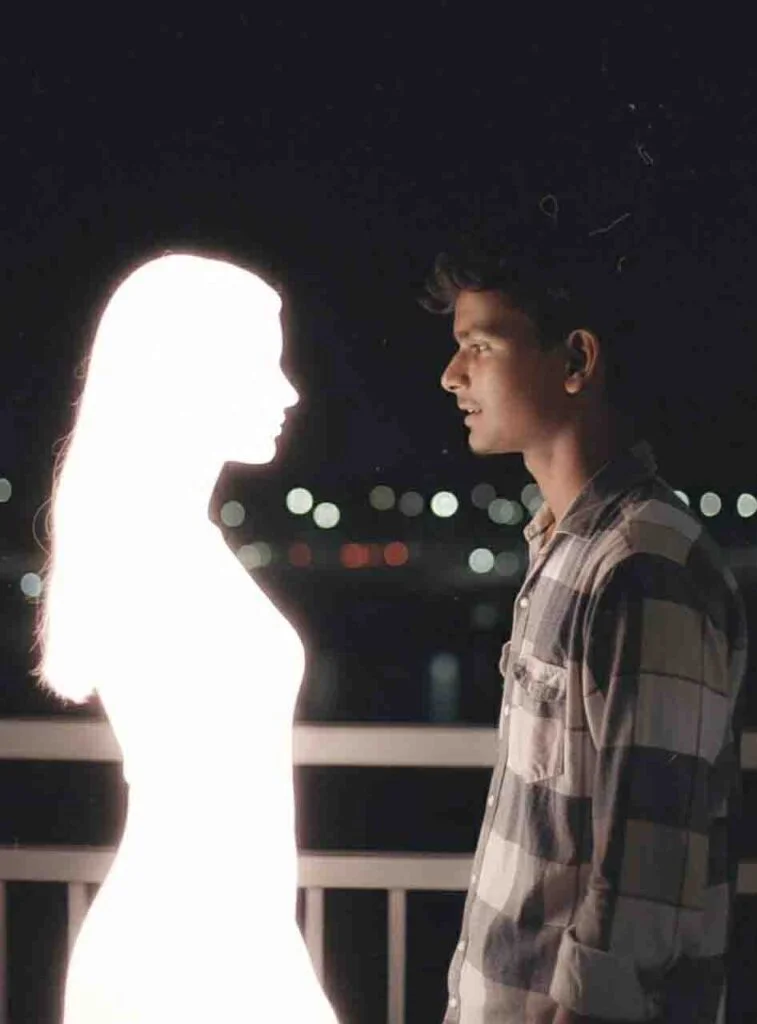
Ai Girl friend Video Editing (100% Working)
2.Prompt
Create a retro cinematic photograph featuring a young man (using the uploaded image) standing alone on a bridge at night. He is facing and softly speaking to a luminous figure of a girl, creating a striking visual contrast between presence and absence. The girl has a delicate, feminine silhouette composed of soft white light with smooth, ethereal edges, giving her the appearance of a fleeting memory or dream. Both figures stand close to each other, slightly leaning in as if sharing an intimate conversation, capturing a tender and emotional moment.
The camera angle is a medium side shot, framing their profiles from the waist up, with blurred city lights softly glowing in the background. The overall composition should evoke a nostalgic retro film aesthetic, with slightly faded colors, soft focus, mild grain, and natural lighting to create an authentic cinematic feel. The soft glow emitted by the girl subtly illuminates the young man’s face, producing realistic shadows and highlights that enhance depth and emotional impact.
To further heighten the retro authenticity, add subtle film textures, lens softness, and analog photo imperfections. These details create a sense of timelessness, making the image resemble an old film still rather than a modern digital render. The overall tone should be calm, emotional, and cinematic, perfectly blending realism and dreamlike quality for a visually striking, storytelling-focused AI-generated image.
Upload Image:upload_image: "your_image_here"
Style:style: "retro cinematic realism, soft emotional, nostalgic film aesthetic, analog photo imperfections"
This prompt is ideal for AI art generators like Google Gemini, MidJourney, or similar tools, producing a highly realistic, emotionally engaging, and cinematic visual that works perfectly for social media storytelling, digital art projects, and viral content creation.
Ai Girl friend Video Editing (100% Working)
2.Prompt
Create a retro cinematic photograph of a young man (using the uploaded image) standing alone on a bridge at night, softly facing and speaking to a glowing, imaginary girl. The girl has a delicate, feminine silhouette composed of soft white light with smooth, ethereal edges, giving her the appearance of a memory, dream, or fleeting vision. Both figures stand close together, slightly leaning toward each other in a natural, intimate conversation, creating a tender and emotionally resonant scene.
The camera should capture a medium side shot, framing their profiles from the waist up, with softly blurred city lights glowing in the background. The overall aesthetic should evoke a nostalgic retro film look, featuring slightly faded colors, soft focus, mild grain, and natural lighting that enhances the cinematic realism. The subtle glow from the girl should illuminate the young man’s face gently, producing realistic shadows and highlights that add depth and emotional nuance to the scene.
To achieve authenticity and a vintage feel, incorporate film textures, lens softness, and analog photo imperfections. This approach ensures that the image resembles an old cinematic film still rather than a digital render. The overall tone should feel calm, reflective, emotional, and cinematic, blending realism with a dreamlike, almost magical quality.
Upload Image:upload_image: "your_image_here"
Style:style: "retro cinematic realism, soft emotional tone, nostalgic film aesthetic, analog photo imperfections"
This prompt is perfect for generating AI images that are cinematic, emotionally engaging, and ideal for storytelling on social media platforms, digital art projects, and visually striking content creation.
Generate Image
Ai Girlfriend Video Generator
Generate Video
How to Create an Account on Flow (Super Easy)
Creating an account on Flow is incredibly simple and takes just a few seconds. First, visit the official Flow website. Once there, click on the “Create with Flow” button to start the process. Next, tap “Sign in with Google” and select your Gmail account. That’s it — your Flow account is instantly created, giving you full access to its AI-powered video creation tools. With this account, you can start turning your AI-generated images into viral, cinematic-style videos with ease.
Final Words
That’s all, guys! Now you have a complete understanding of how to create trending AI Girlfriend photos and transform them into smooth, engaging, and viral videos — and the best part is, it’s all completely free. If you encounter any issues while creating your AI photos or videos, don’t hesitate to leave a comment below, and I’ll respond with guidance.
Once your video is ready, post it on Instagram Reels, TikTok, or YouTube Shorts, and watch it grab attention and go viral! This method combines simplicity, creativity, and AI technology to help you make content that stands out. Jai Hind 🇮🇳! See you in the next article with more exciting tips and tricks for AI content creation.
What is Trending AI Girlfriend Video Generator
The AI Girlfriend Video Generator is a trending tool that allows anyone to create professional-quality AI videos in minutes. To download the free AI Girlfriend Video Generator, simply click the download button provided. Once you do, the AI website will open, giving you instant access to its video editing features. This tool is designed for creators who want to produce high-quality, shareable videos for Instagram, TikTok, or YouTube without spending hours on manual editing.
How to Use AI Website
Using the AI website is straightforward and beginner-friendly. Here’s a step-by-step guide to get you started:
- First, install the Picsart application on your phone. This app will help you prepare your images before converting them into a video.
- Create a two-photo collage in the Picsart app to combine your images into a single, seamless format.
- Next, click the AI website link provided above. The website will open directly in your browser.
- On the AI website, click the image icon and select the photo or collage you want to use from your gallery.
- The AI tool will automatically process your images and generate a video. Once the video is ready, simply download it to your device.
Using this method, you can create high-quality AI Girlfriend videos with minimal effort, making it easy to produce professional and viral-ready content for social media platforms. The combination of AI technology, user-friendly design, and step-by-step guidance ensures even beginners can create stunning videos that capture attention.
Frequently Asked Questions(FAQs)
What is an AI Girlfriend video generator?
An AI Girlfriend video generator is a tool that converts AI-generated images into cinematic, smooth, slow-motion videos, ideal for social media content.
Is it free to create AI Girlfriend videos?
Yes, using tools like Google Gemini and Google Flow, you can generate images and videos completely free without any hidden costs.
Do I need technical skills to use these AI tools?
No, the process is beginner-friendly. Simply upload a photo, add prompts, and let the AI handle the image-to-video conversion automatically.
Can I post AI Girlfriend videos on social media?
Absolutely! These videos are optimized for platforms like Instagram Reels, TikTok, and YouTube Shorts, and are designed to grab attention.
How do I make my AI videos look more realistic?
Use cinematic prompts, slow-motion effects, soft lighting, and analog film textures in the AI tools to produce professional-quality and visually engaging videos.
Conclusion
Creating trending AI Girlfriend photos and converting them into viral videos has never been easier. With free tools like Google Gemini for generating ultra-realistic images and Google Flow for turning them into smooth slow-motion videos, anyone can create professional-quality content in minutes. The step-by-step instructions, combined with simple AI prompts and intuitive interfaces, make the process accessible even for beginners. By following these methods, you can produce visually stunning, emotionally engaging, and highly shareable videos that stand out on social media platforms.
The rise of AI-powered content creation is transforming the way creators engage their audiences. With features like cinematic slow-motion, glowing effects, and retro-style edits, your AI videos can achieve a polished and professional look without the need for advanced video editing skills. Whether you’re looking to go viral on Instagram, TikTok, or YouTube, leveraging these AI tools allows you to create captivating storytelling content effortlessly, maximizing both creativity and audience engagement.
