

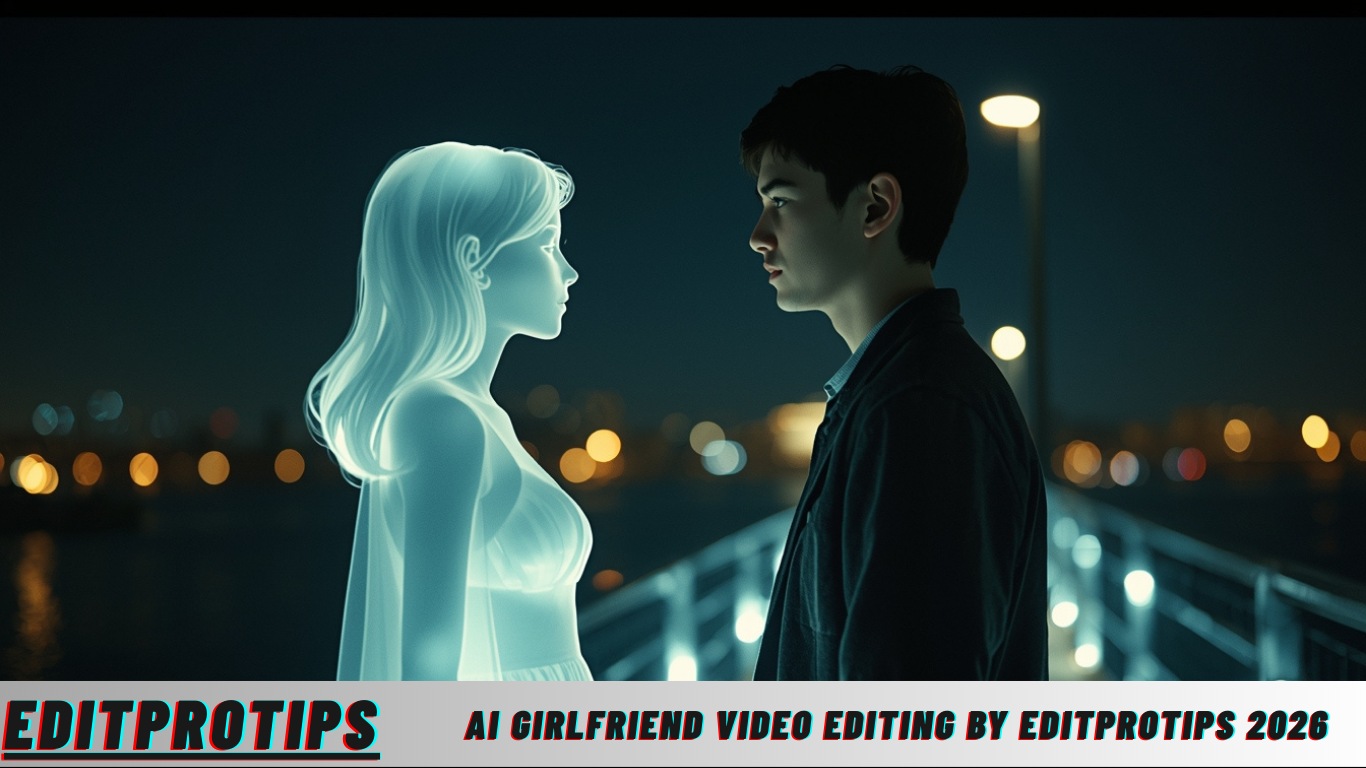
Ai Girlfriend Video Editing By Editprotips
Hello friends, once again a very warm welcome to your trusted website EditProTips. Today, we are going to talk about a trending and exciting topic—how to create your own AI girlfriend video using artificial intelligence. At present, this type of video is going viral on Instagram and other social media platforms, and many creators are gaining massive engagement through it.
If you do not have a girlfriend, there is no need to worry. With the help of AI tools, you can easily add a virtual girlfriend to your photo or video and create engaging content. Many people are already using this method to create short videos, reels, and posts that attract attention and sometimes even go viral. If you also want to try this trend and upload your own AI girlfriend video, this guide will help you understand the complete process in a simple and practical way.
So, let us move ahead and understand how this works and how you can create your own AI-generated girlfriend video step by step.
Read more: 2026 Happy New Year Photo Editing Prompt (Google Gemini )
what is Ai
Friends, AI (Artificial Intelligence) is a powerful technology that allows machines and software to think, analyze, and create content similar to humans. With the help of AI, you can perform many creative and practical tasks very easily. For example, you can add a person to your photo, generate realistic images, convert photos into videos, or even design house maps and layouts.
AI works by processing the image or input you provide and then generating a realistic output within seconds. Today, many AI websites and mobile applications are available that let you create photos and videos for free or at very low cost. Popular platforms such as Pixverse AI, Flow AI, Google Gemini, ChatGPT, and Grok AI allow users to generate AI images and videos simply by uploading a photo and entering a prompt. These tools are beginner-friendly and do not require advanced technical skills, making AI content creation accessible to everyone.
How to make Ai Girlfriend Video
Friends, to create an AI girlfriend video, the first step is to prepare a good-quality photo. This photo can be yours, which will later be used to generate a realistic video. After that, the photo is converted into a video using AI tools.
AI platforms work mainly on prompts. A prompt is a short description or instruction that tells the AI what kind of image or video you want to create. By writing a clear and detailed prompt, you can generate a realistic girlfriend photo or video with expressions, poses, and background of your choice. Once the AI processes your prompt and image, it automatically creates a video that looks natural and engaging. This method is currently very popular for creating Instagram reels and short-form content.
How to make Ai Girlfriend photo
To create an AI girlfriend photo, follow these simple steps carefully.
First, you need to copy the photo provided in this article or use a suitable reference image.
After that, open the Google Gemini app on your mobile or desktop device.
Now, select the Create Image option in Google Gemini and upload your own photo there.
Once your photo is uploaded, paste the given prompt (province) into the prompt box and send it.
Within a short time, Google Gemini will process your image and generate an AI girlfriend photo based on your input. This photo can later be used to create an AI girlfriend video using video-generation tools. The entire process is simple, fast, and does not require professional editing skills, making it perfect for beginners who want to explore AI video editing and viral content creation.
Ai Girlfriend Video Editing By Editprotips
Prompt
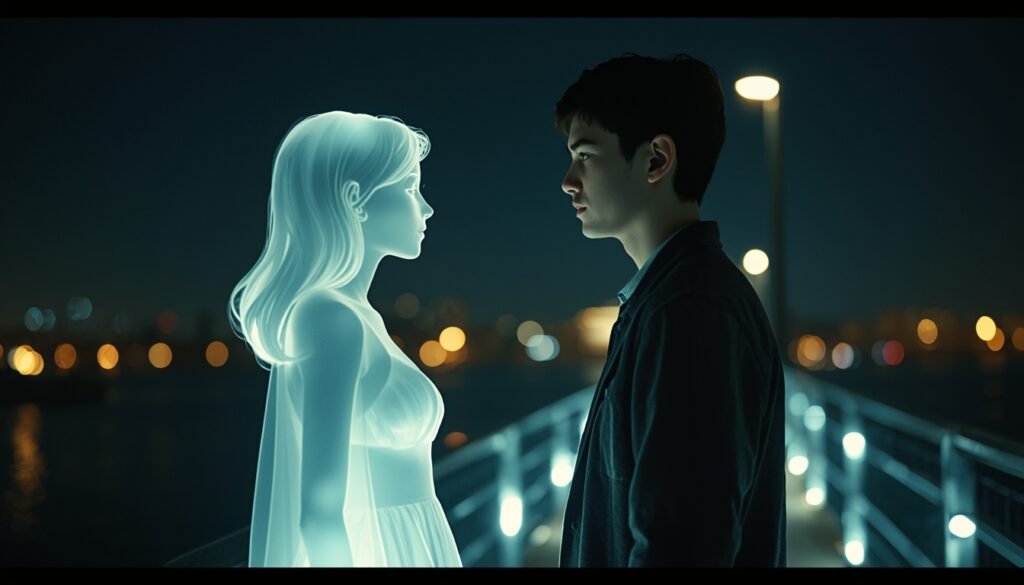
“Create a retro cinematic photograph featuring a young man (using the uploaded image) standing on a bridge at night. He is facing and softly talking to a glowing, imaginary girl, creating an emotional and intimate moment. The girl should appear as a delicate, feminine silhouette formed from soft white light with smooth, gentle edges, as if she is a memory, dream, or emotional presence rather than a physical person.
Both characters should be positioned close to each other, slightly leaning in as if engaged in a quiet conversation. The camera angle should be a medium side shot, capturing their profiles from the waist up. In the background, include softly blurred city lights to enhance depth and atmosphere.
The overall image must have a nostalgic retro film aesthetic, with slightly faded colors, soft focus, mild film grain, and natural lighting. The glow from the imaginary girl should subtly illuminate the man’s face, creating realistic shadows and highlights that enhance emotional realism. The mood should feel calm, cinematic, and emotionally expressive, resembling an old film still rather than a modern digital render. Add authentic film textures, gentle lens softness, and analog photo imperfections to complete the vintage cinematic look.”
upload_image
“your_image_here”
(Upload a clear photo of yourself to be used as the base image for the AI-generated cinematic scene.)
style
“Retro cinematic realism with a soft emotional tone, inspired by classic film photography. The visual style should include analog film grain, subtle color fading, natural lighting, gentle lens blur, and realistic cinematic depth to enhance authenticity and emotional impact.”
Generate Image
Ai Girlfriend Video
Generator
Generate Video
How to make a video from a photo
First of all, copy the video prompt provided in this article, as it plays a crucial role in converting your photo into a realistic AI-generated video. A well-written prompt helps the AI understand the motion, mood, and cinematic style you want in the final output.
After copying the prompt, visit the Google Flow website. Once you are there, create your account on the Flow website by signing in with your Gmail ID. This process is quick and ensures that your projects are saved securely for future use.
After successfully logging in, create a new project on the Flow website. While setting up the project, make sure you select Frame to Video instead of Text to Video. This option allows you to turn an existing image into a smooth and visually appealing video.
Next, click on the plus (+) icon and upload the photo from your gallery that you previously created using Google Gemini. Once the image is uploaded, paste the copied video prompt into the prompt box and simply send it.
Now, all you need to do is wait for a short time. The AI will process your image and prompt, and within a few moments, your AI-generated video will be ready. When the video appears, you can preview it and then save it directly to your gallery for sharing on Instagram, reels, or other social media platforms.
meet me on social media
Friends, my name is Vikas Verma, and I am a professional video editor with over 5 years of experience in video editing. I regularly share new video editing templates, creative ideas, and practical editing tips to help you improve your skills. Using these templates, you can easily create high-quality videos for free and enhance your content creation journey.
If you are interested in learning video editing or enjoy creating videos, you can connect with me on Instagram. Feel free to send me a DM, and I will be happy to guide you and share useful editing tricks that can help you grow as a video editor.
Extractive
So friends, I hope you have clearly understood the complete process of how to make an AI girlfriend video from a photo. If you face any issues while following the steps, you can let me know by commenting in the comment box below. I will try my best to respond and help you as soon as possible.
Also, do share your feedback by commenting on how you liked this post. Your support and suggestions motivate me to bring more useful and easy-to-follow video editing tutorials for you.
Thank you.
Frequently Asked Questions(FAQs)
1. What is an AI girlfriend video and why is it trending on social media?
An AI girlfriend video is a short, cinematic clip created using artificial intelligence, where a virtual female character is added to a real photo or scene. These videos are trending on platforms like Instagram because they combine emotional storytelling, realistic visuals, and creative AI effects. Many creators use them to make engaging reels that attract high views, likes, and shares.
2. Which AI tools are required to create an AI girlfriend photo and video?
To create an AI girlfriend photo, tools like Google Gemini are commonly used for image generation. For converting a photo into a video, platforms such as Google Flow (Frame to Video) are ideal. These tools allow users to upload images, apply prompts, and generate professional-looking AI videos without advanced editing skills.
3. Do I need video editing experience to make an AI girlfriend video?
No, you do not need prior video editing experience. AI platforms are designed for beginners and work mainly on prompts and simple options. As long as you follow the steps correctly—uploading an image, pasting the prompt, and selecting the right settings—you can easily create high-quality AI videos.
4. Can these AI girlfriend videos be used for Instagram reels and other platforms?
Yes, AI girlfriend videos are perfect for Instagram reels, YouTube Shorts, and other short-form video platforms. Once the video is generated, you can download it to your gallery and upload it directly. Many creators use these videos to grow their social media accounts and improve engagement.
5. Are these AI tools free to use or do they require payment?
Most tools mentioned, such as Google Gemini and Flow, offer free usage with certain limits. You can create AI photos and videos without paying initially. However, advanced features, higher resolution outputs, or additional credits may require a paid plan depending on the platform.
Conclusion
Artificial intelligence has completely transformed the way people create photos and videos, making high-quality content accessible to everyone. By using tools like Google Gemini and Google Flow, you can easily turn a simple photo into a cinematic AI girlfriend video that looks emotional, realistic, and visually appealing. This process does not require professional editing knowledge, expensive software, or complex techniques—just a clear image, a well-written prompt, and a few simple steps. As a result, even beginners can participate in trending content styles and experiment with creative storytelling through AI.
Creating AI girlfriend videos is not only about following a trend but also about understanding how AI-powered creativity works. When used thoughtfully, these tools can help content creators improve their skills, grow on social media, and explore new ideas in video editing. If you practice regularly and experiment with different prompts and styles, you can create unique videos that stand out. Overall, AI-based photo-to-video creation is a powerful opportunity for anyone interested in modern video editing, digital creativity, and viral content creation.
